The Utilities Management module in Kejarent provides a comprehensive way to manage various utilities associated with your tenants and properties — including Water, Service Charge, Internet and Garbage.
Each utility has its own section with dedicated tools and data tables that help track usage, account balances, and operational status. Below is a breakdown of each subsection and its functionality.
Water – View Meters
The View Meters section displays all active and inactive water meters in the system. It’s presented in a searchable DataTable allowing you to monitor each meter’s status and activity.
- Meter No – Unique identifier for each meter.
- Customer Name – The tenant associated with the meter.
- Readings – Latest recorded meter reading.
- Outstanding Units – Unpaid or pending usage units.
- Meter Status – Indicates if the meter is Open or Closed.
- A/C Balance – Current account balance for the tenant’s water usage.
-
Actions – Options include:
- Update Meter – Modify meter type (LORA, LORAWAN, NBIOT) or meter number.
- Credit/Debit – Adjust balances as needed.
- Transfer Meter – Move a meter to another unit (useful in room changes or corrections).
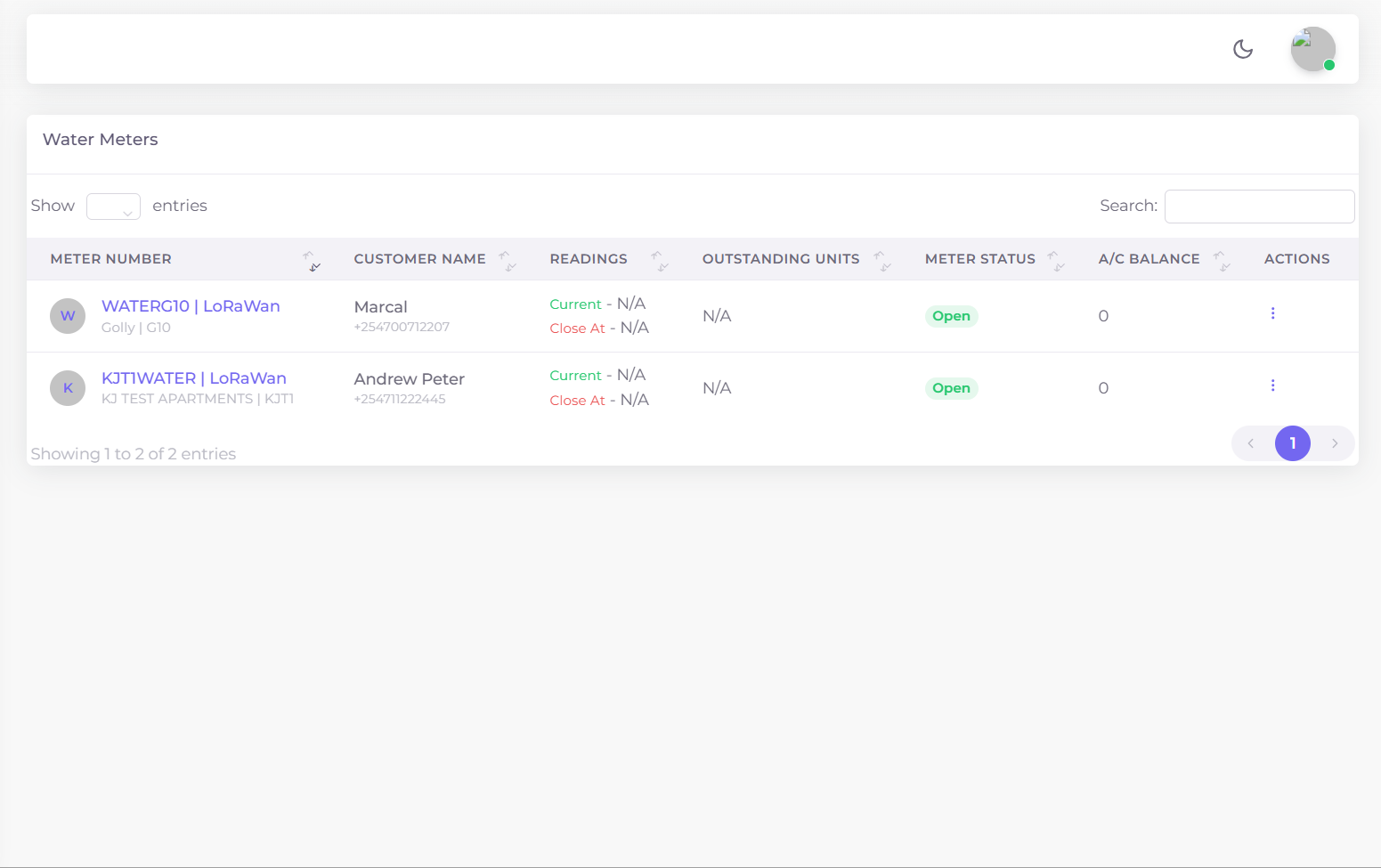
Figure 1: View Meters DataTable showing meter details, balances, and action options.
Manual Meter Readings
The Manual Meter Readings section allows you to manually record new water meter readings. This is helpful in cases where automated meters are unavailable or data synchronization is delayed.
- Enter the Meter Number in the input field.
- Enter the Current Reading value.
- Click Submit to save the new reading — the system will automatically update the tenant’s usage data.
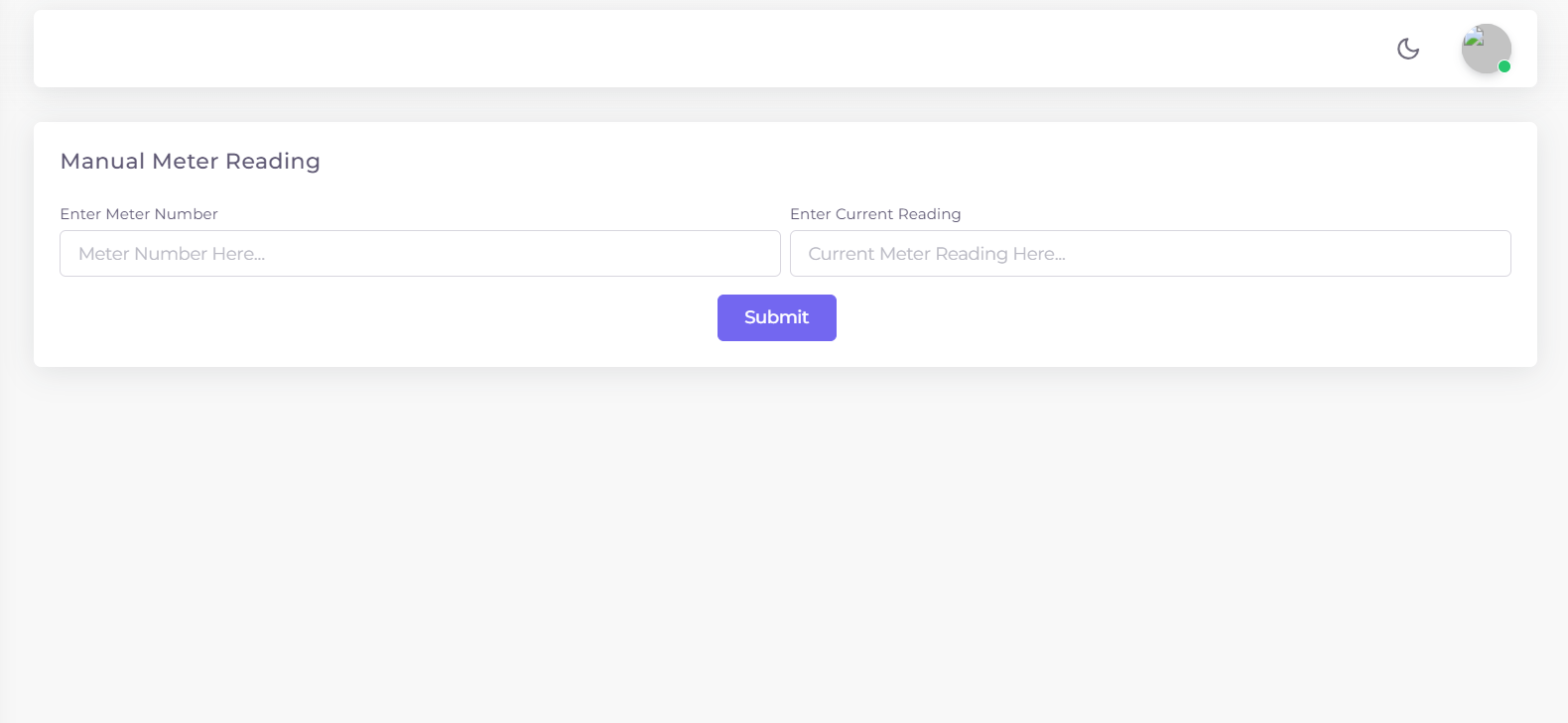
Figure 2: Manual Meter Readings input form for updating readings directly.
Service Charge – View Accounts
The Service Charge Accounts table provides an overview of all tenants’ service charge accounts. Just like other utilities, it’s presented in a DataTable for easy sorting, searching and filtering.
- Tenant Name – The name of the tenant associated with the account.
- Apartment – The apartment or building name.
- Unit – The specific rental unit occupied by the tenant.
- Account Balance – Current service charge balance.
- Status – Indicates whether the account is Active or Inactive.
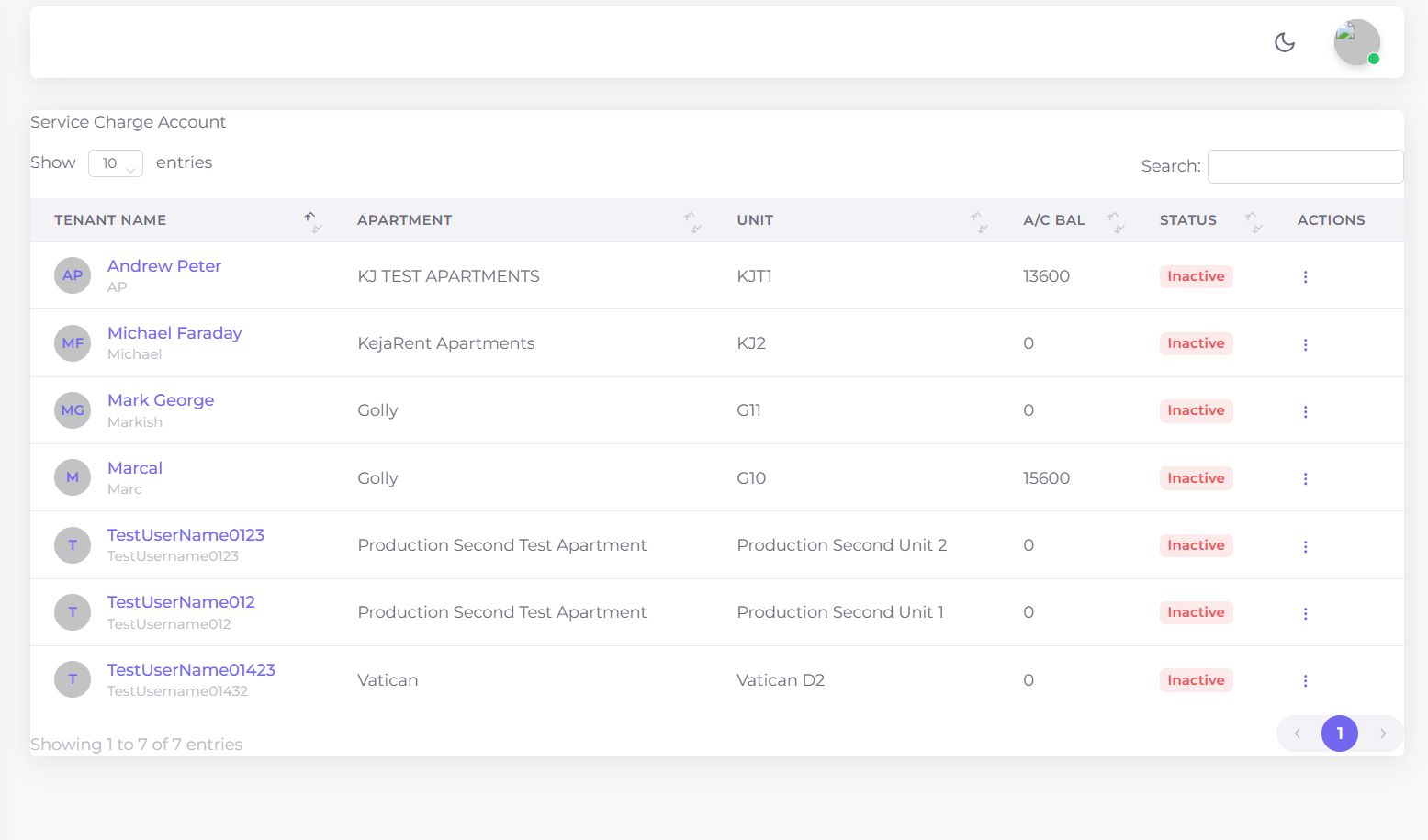
Figure 3: Service Charge Accounts DataTable showing all tenant accounts and balances.
Internet – View Accounts
The Internet Accounts section tracks all tenants with internet services linked to their rental units. It mirrors the layout of other utility DataTables for a consistent experience.
- Tenant Name
- Apartment
- Unit
- Account Balance
- Status – Active/Inactive
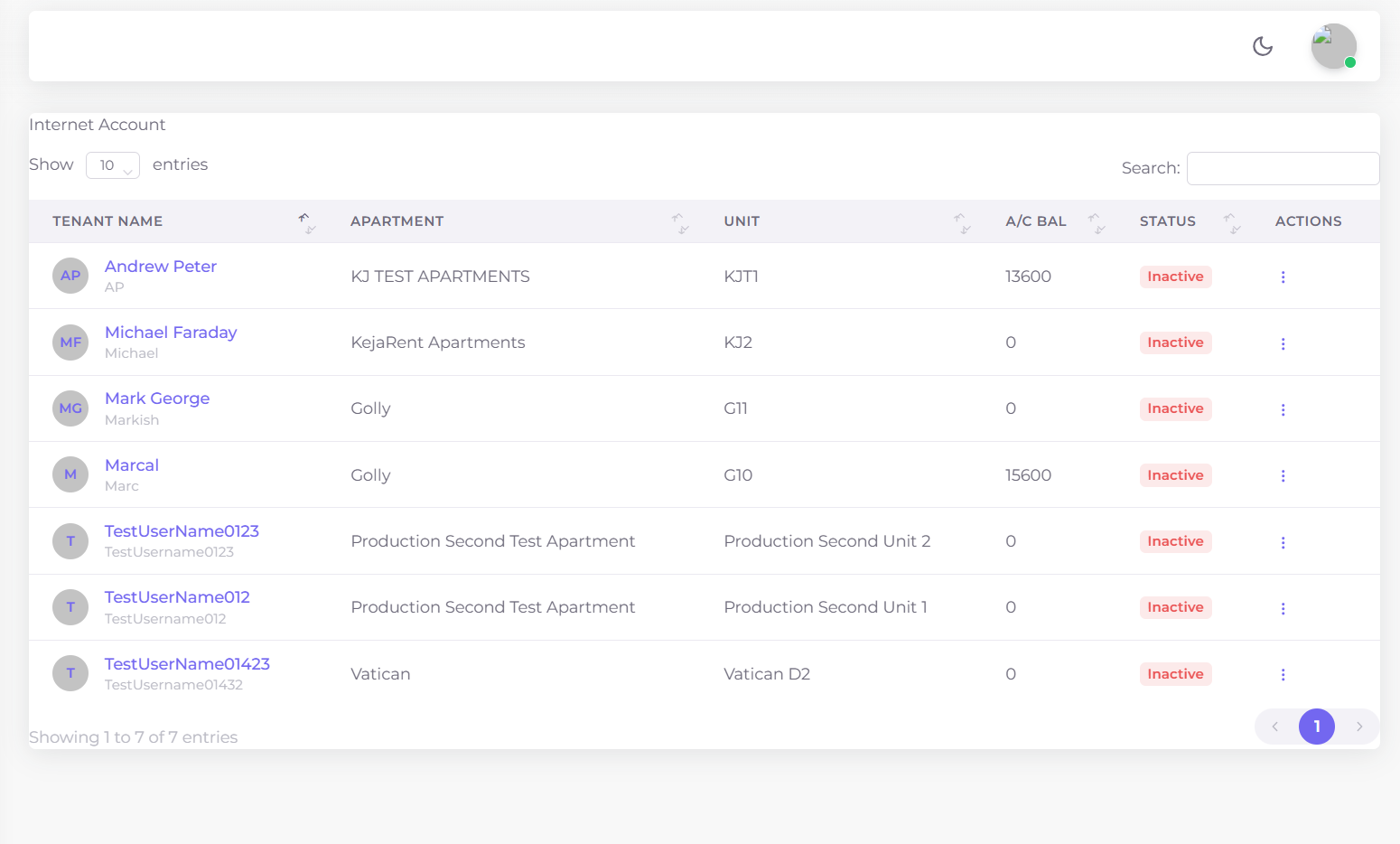
Figure 4: Internet Accounts DataTable showing connected tenants and their current balances.
Garbage – View Accounts
The Garbage Accounts table provides a list of tenants and their garbage collection accounts, with real-time tracking of payment status and balances.
- Tenant Name
- Apartment
- Unit
- Account Balance
- Status – Active/Inactive
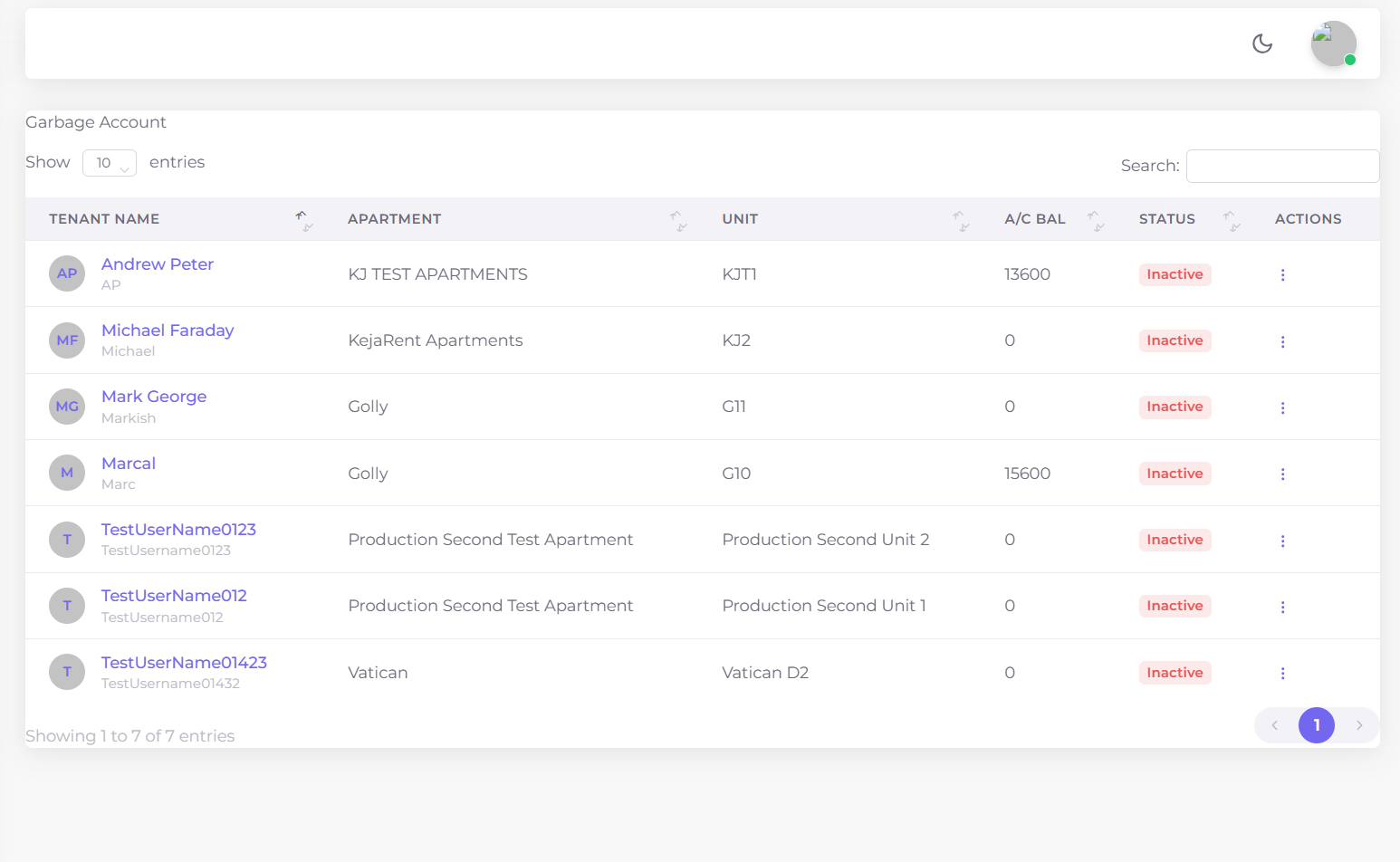
Figure 5: Garbage Accounts DataTable showing tenant waste collection billing and status.
All utility sections are interconnected with tenant and unit data — ensuring consistency and accuracy across billing, reporting and account management modules.