The View Apartments section provides a complete overview of all apartments you’ve registered within the Kejarent system. From here, you can quickly access key details, monitor unit status, and manage apartment-specific actions.
What You Can See Here:
- A list of all registered apartments with their names and locations.
- Total number of units under each apartment (with a breakdown of occupied and vacant units).
- Quick summary cards showing total rent expected, rent collected, and outstanding rent for each apartment.
- Access to detailed apartment views, where you can manage or edit apartment and unit information.
- Action buttons such as View Units, Edit, and Delete for quick operations.
This page helps landlords easily navigate through all their properties and stay up to date with unit performance and rental activity.
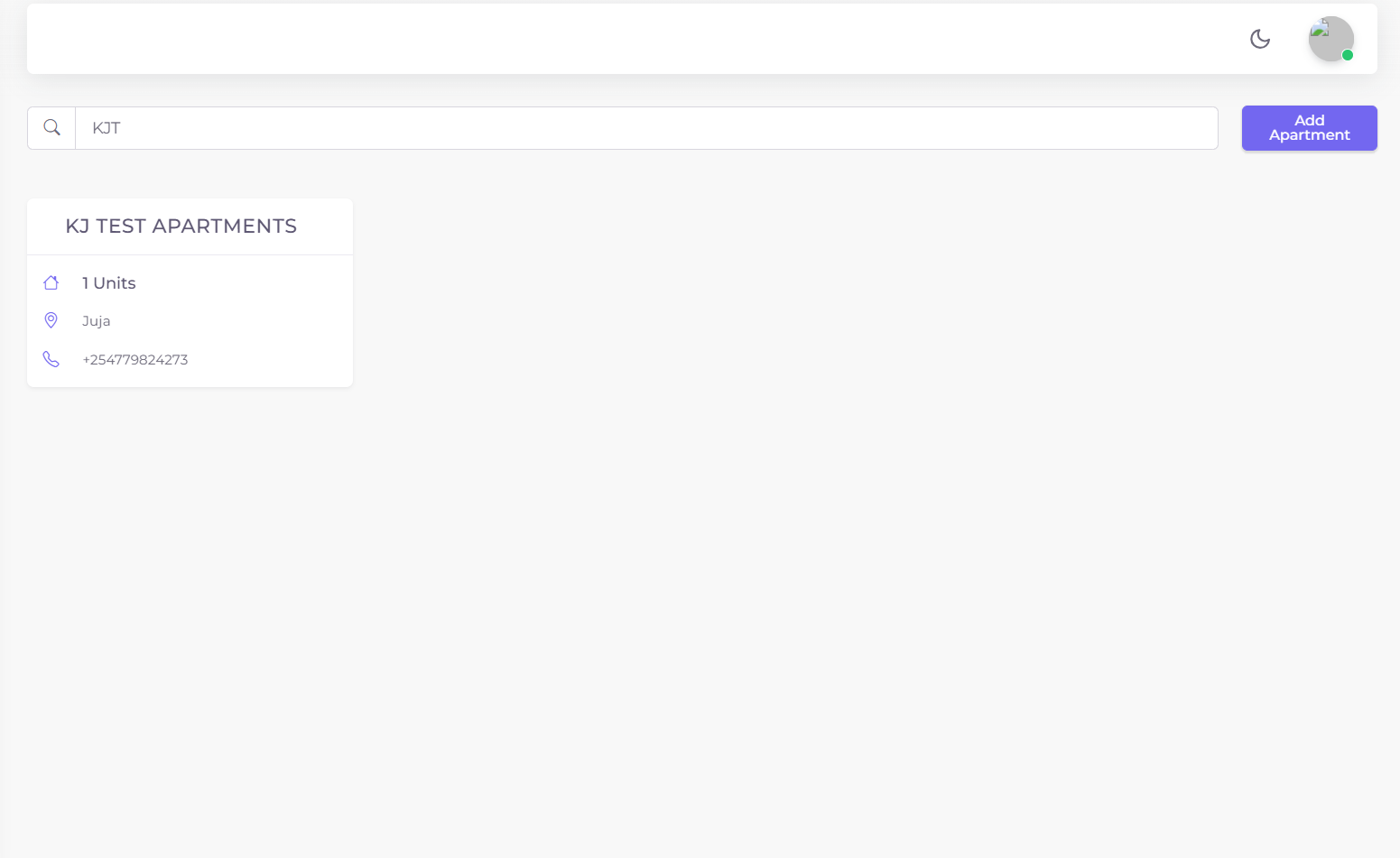
Figure 1: View Apartments page showing apartment listings and key summary metrics.
You can click on any apartment to view its units, track tenant occupancy, and see associated rent and utility reports. This makes managing multiple apartments efficient and transparent within one central dashboard.
The Add Apartment section allows administrators to register a new apartment and add its units in a step-by-step form.
Step 1: Apartment Details
Fill in the following fields to create a new apartment:
- Apartment Name
- Physical Address
- Email Address
- Phone Number
- P.O Box (optional)
Click Submit to save the details, which will then change to Next to proceed to the units tab.
Step 2: Units Details
Add all units for the apartment using the form:
- Unit Name
- Type (1 Bedroom, 2 Bedroom, 3 Bedroom, Studio, etc.)
- Additional Info
- Number of Bathrooms
- Rate (amount charged)
Click Add to List to add the unit to the table below. Repeat until all units are listed.
Once all units have been added, click Submit to save the apartment along with all its units.
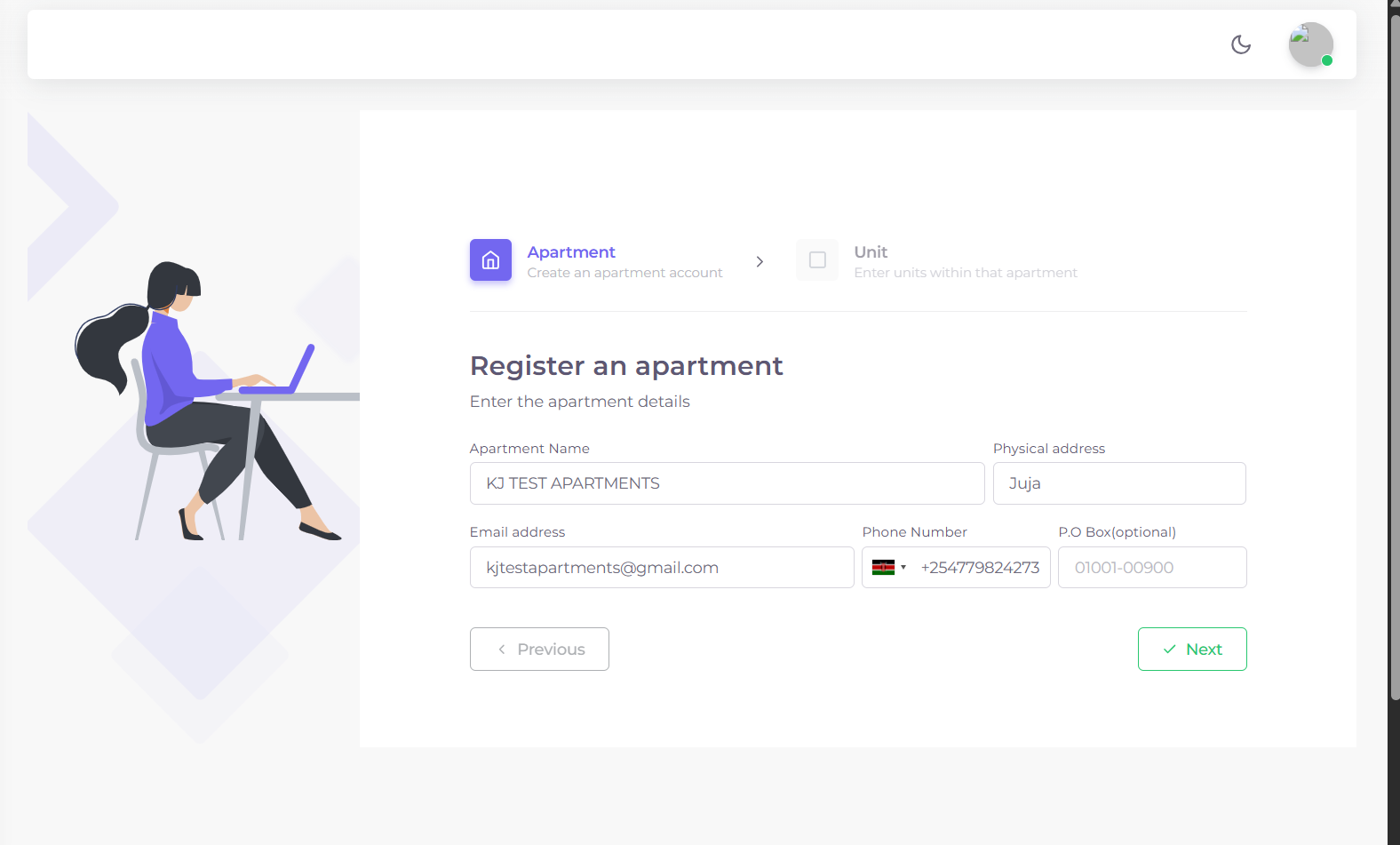
Figure 1: Add Apartment form and unit management table.
The View Units section provides a complete overview of all units registered under all apartments.
DataTable Details
- Unit Name
- Tenant Name
- Apartment Name
- Account/Balance
- Actions – Credit or Debit
This table helps landlords and administrators track unit occupancy, billing and tenant accounts efficiently.
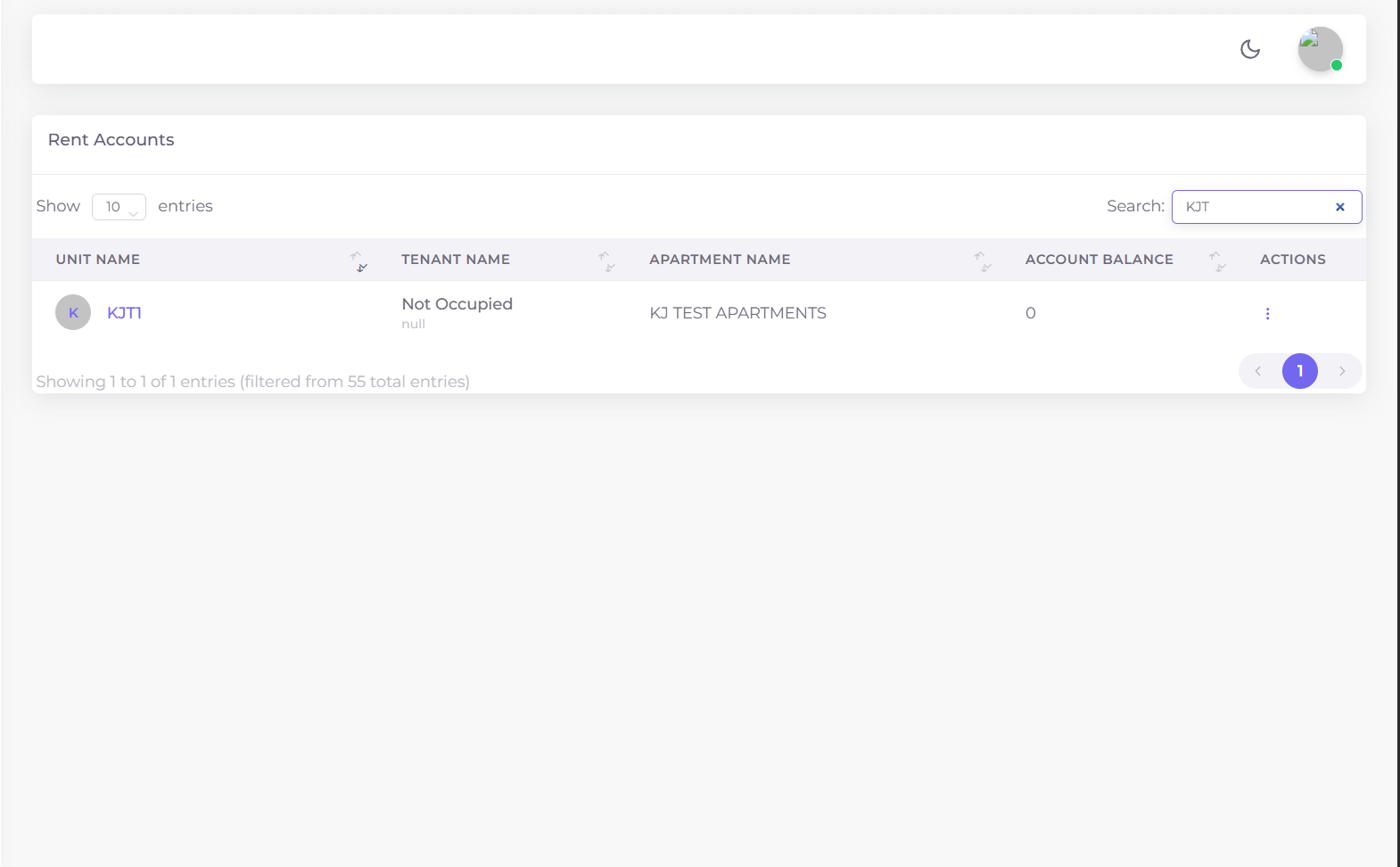
Figure 2: Units DataTable showing occupancy and account balances.
The Assign Account section allows you to link financial or service accounts to specific units.
Assign Account Form
- Account Number
- Type of Account (dropdown: Water Meter, Deposit Account, Internet Account, Garbage Account, Service Charge Account)
- Select Apartment (dropdown)
- Select Unit (dropdown)
- Rate per Unit
After filling the details, click Submit to assign the account to the unit.
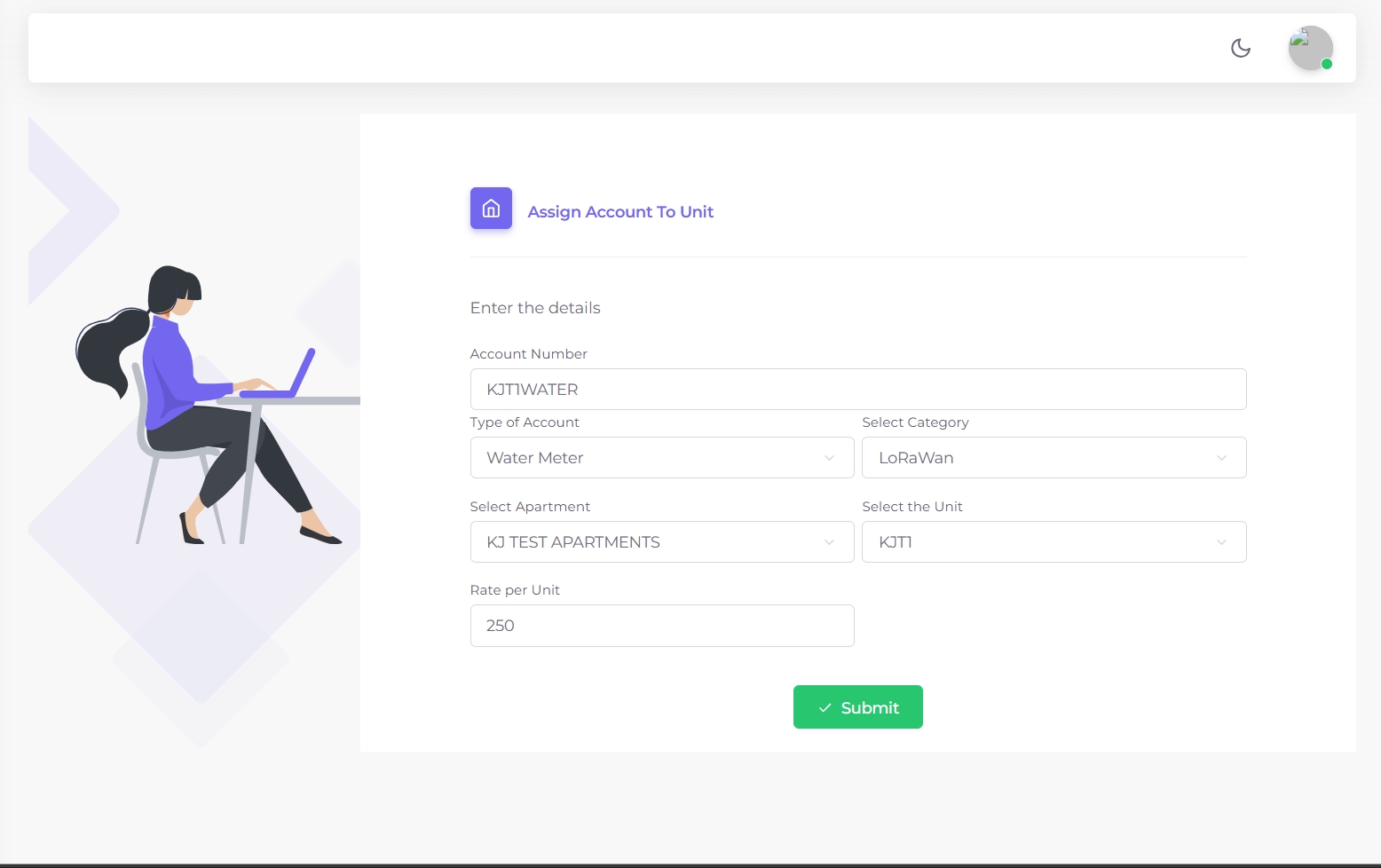
Figure 3: Assign Account form linking accounts to units.